AllDone

AllDone

Genssy Academy

Build smarter.
Learn faster. Ship better.

A complete SwiftUI to-do list app with Firebase Firestore. Study real-world MVVM architecture, dependency injection, authentication, and production-ready patterns.

Get Source Code Complete Xcode project with source code
SwiftUI Firebase MVVM Dependency Injection Firestore
AllDone Tasks

100%

SwiftUI

MVVM

Architecture

Firebase

2

Theme Modes

Features

A complete app,
ready to study

Every feature is built with clean architecture and production-ready patterns you can learn from and reuse in your own projects.

Task Management

Organized tasks, categorized lists

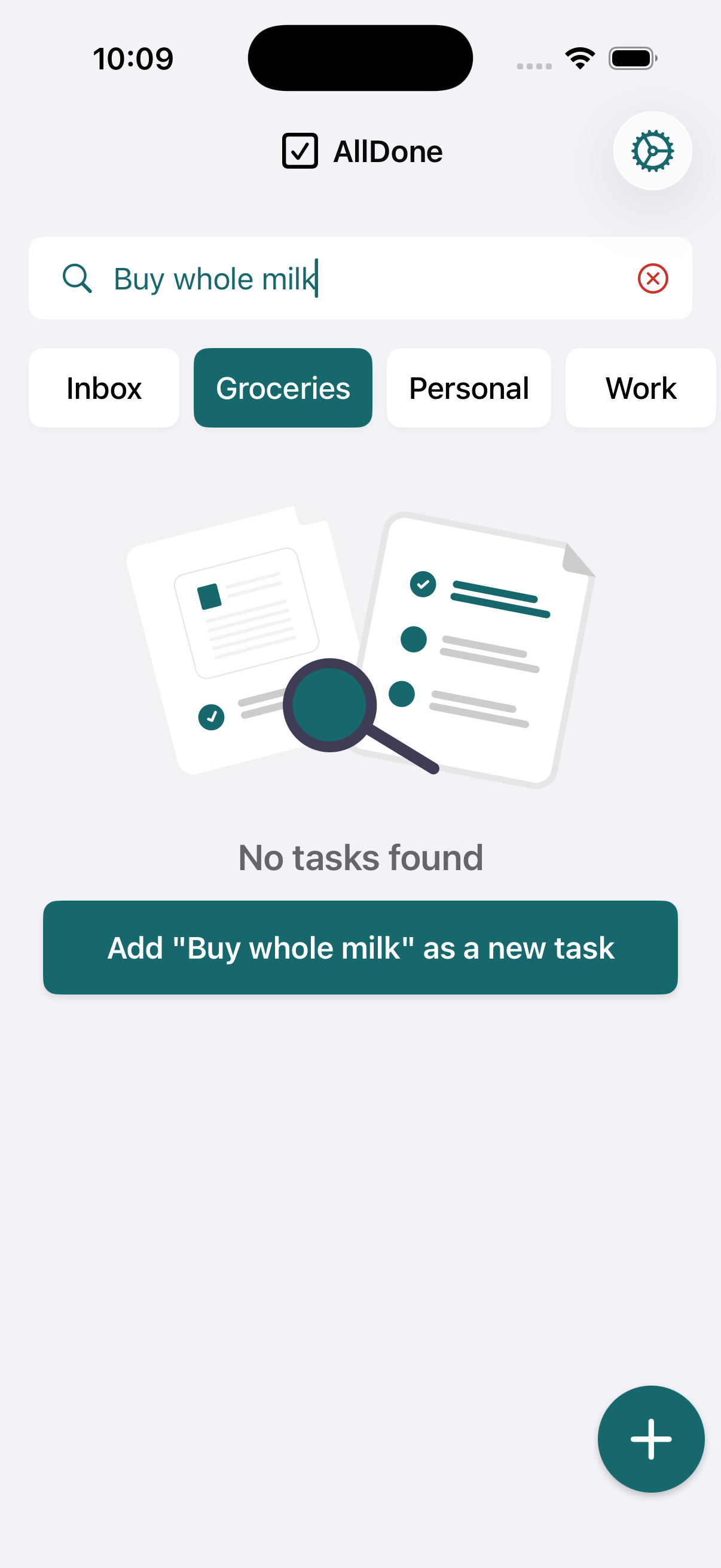
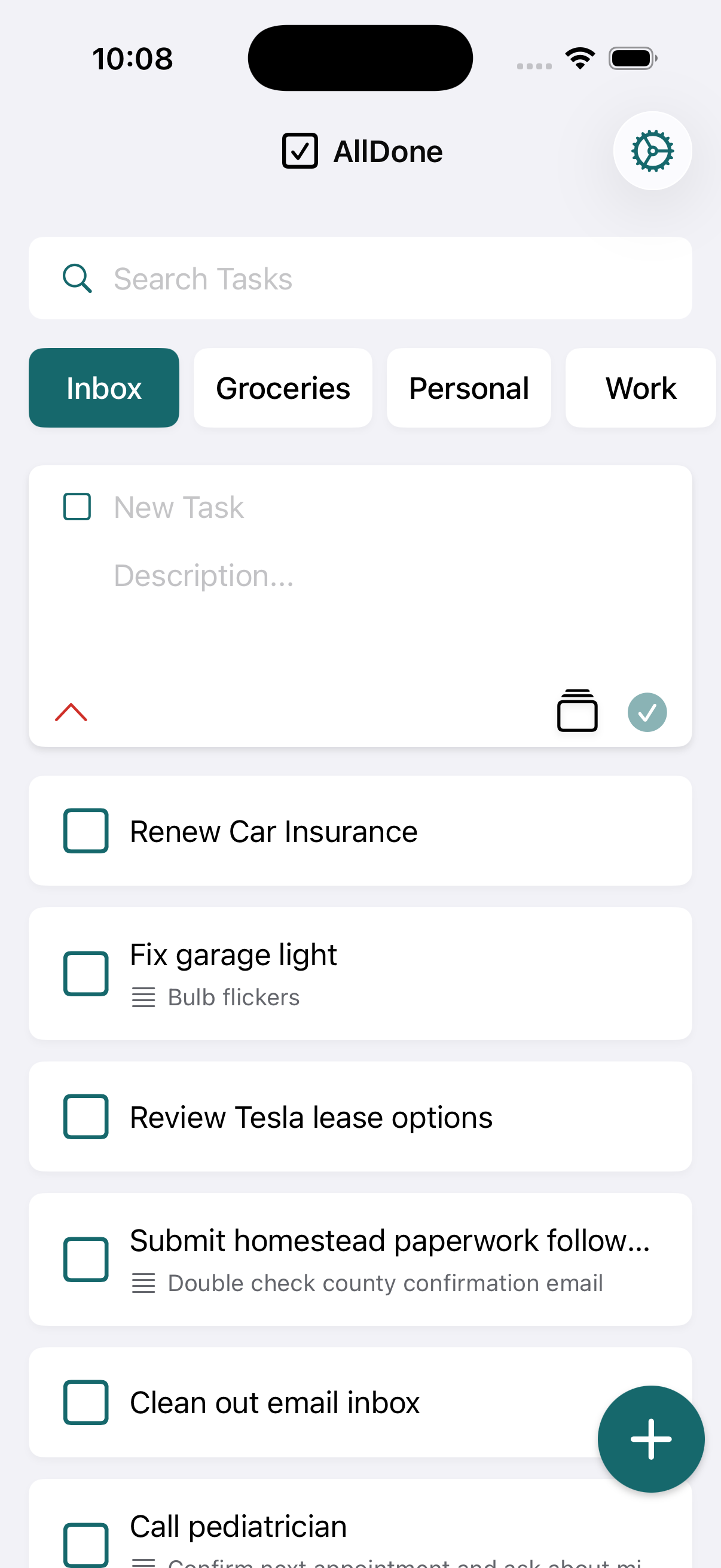
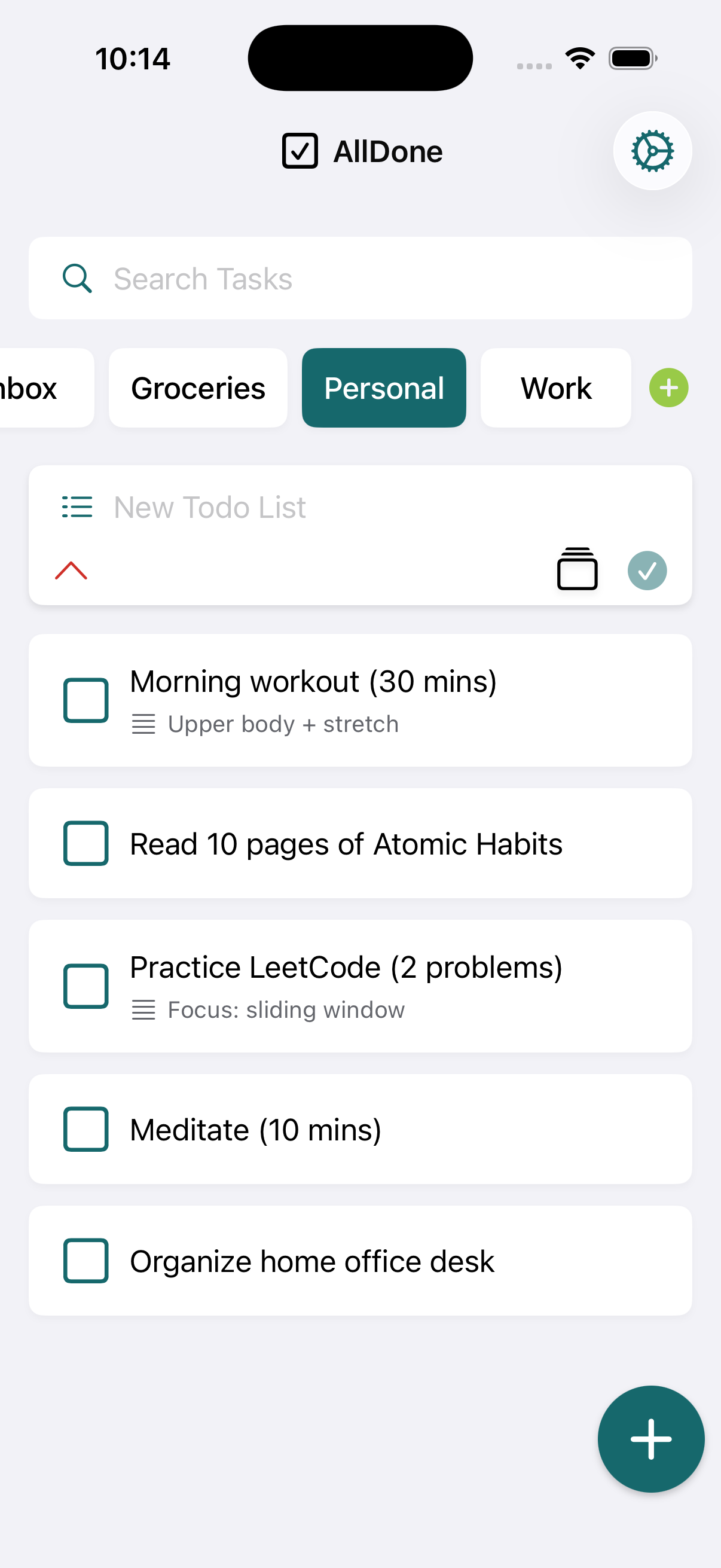
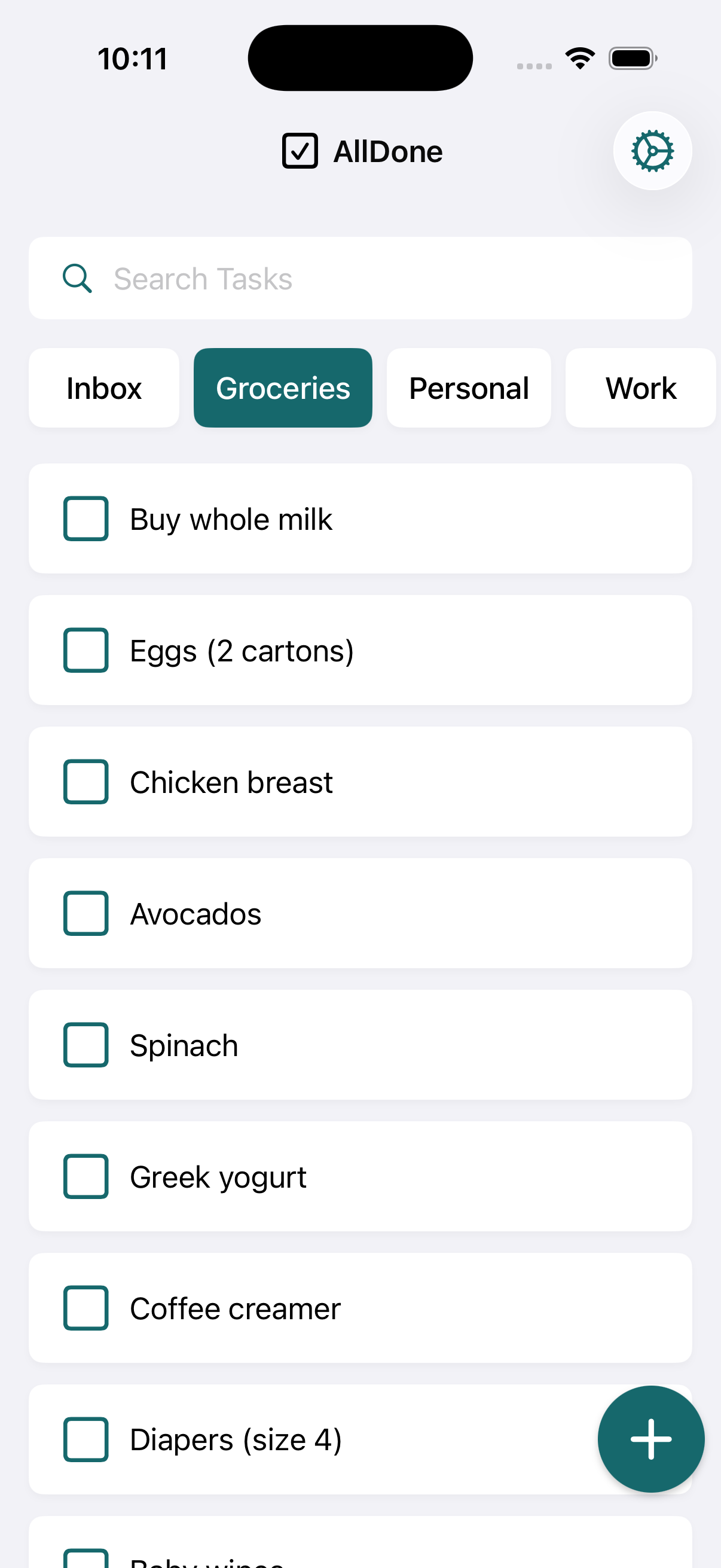
Manage tasks across multiple categorized lists like Inbox, Groceries, Personal, and Work. Search through tasks instantly, add new ones with a tap, and keep everything organized with a clean, intuitive interface.

  • Multiple categorized task lists (Inbox, Groceries, Personal, Work)
  • Quick search across all tasks and lists
  • Task completion with visual feedback
  • Real-time sync with Firebase Firestore
Tasks List
Search & Add Task
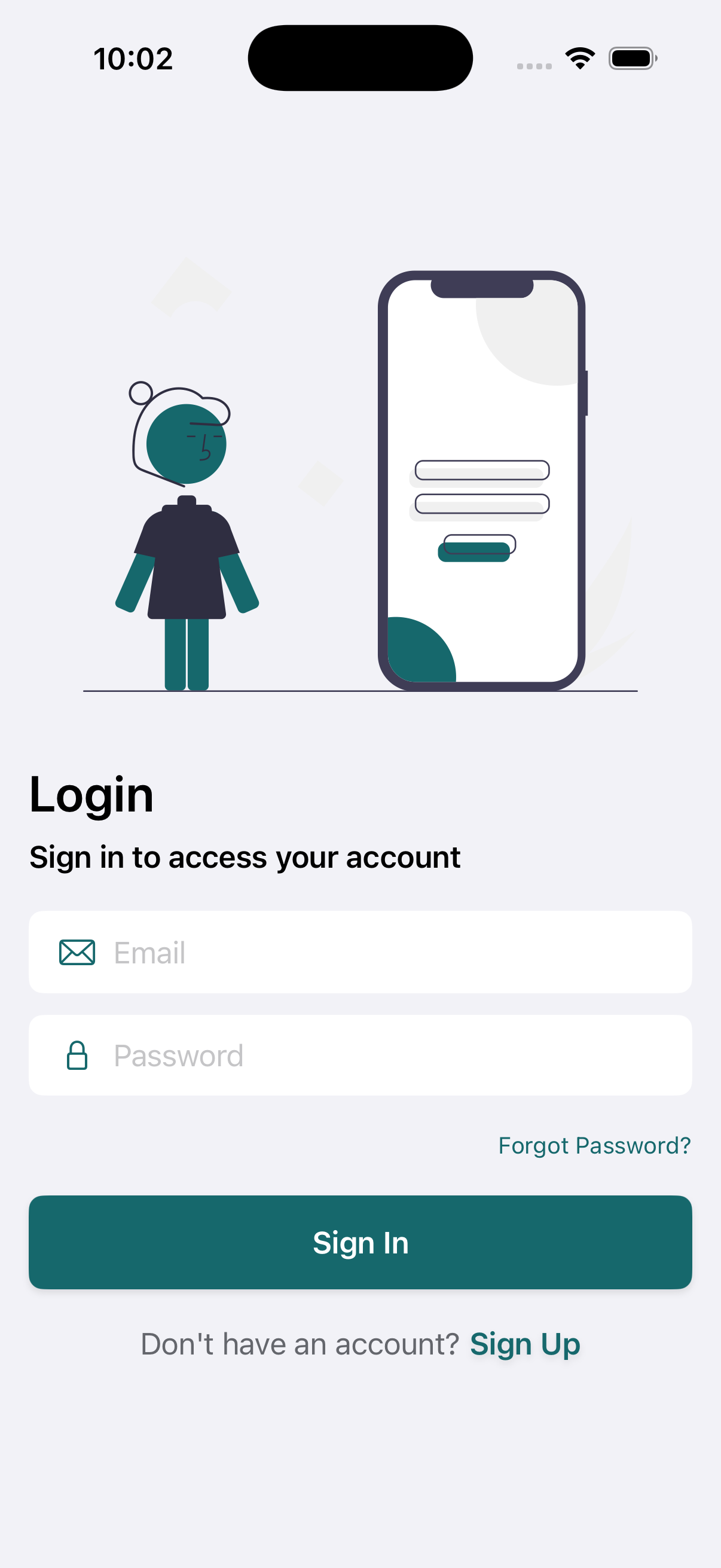
Login
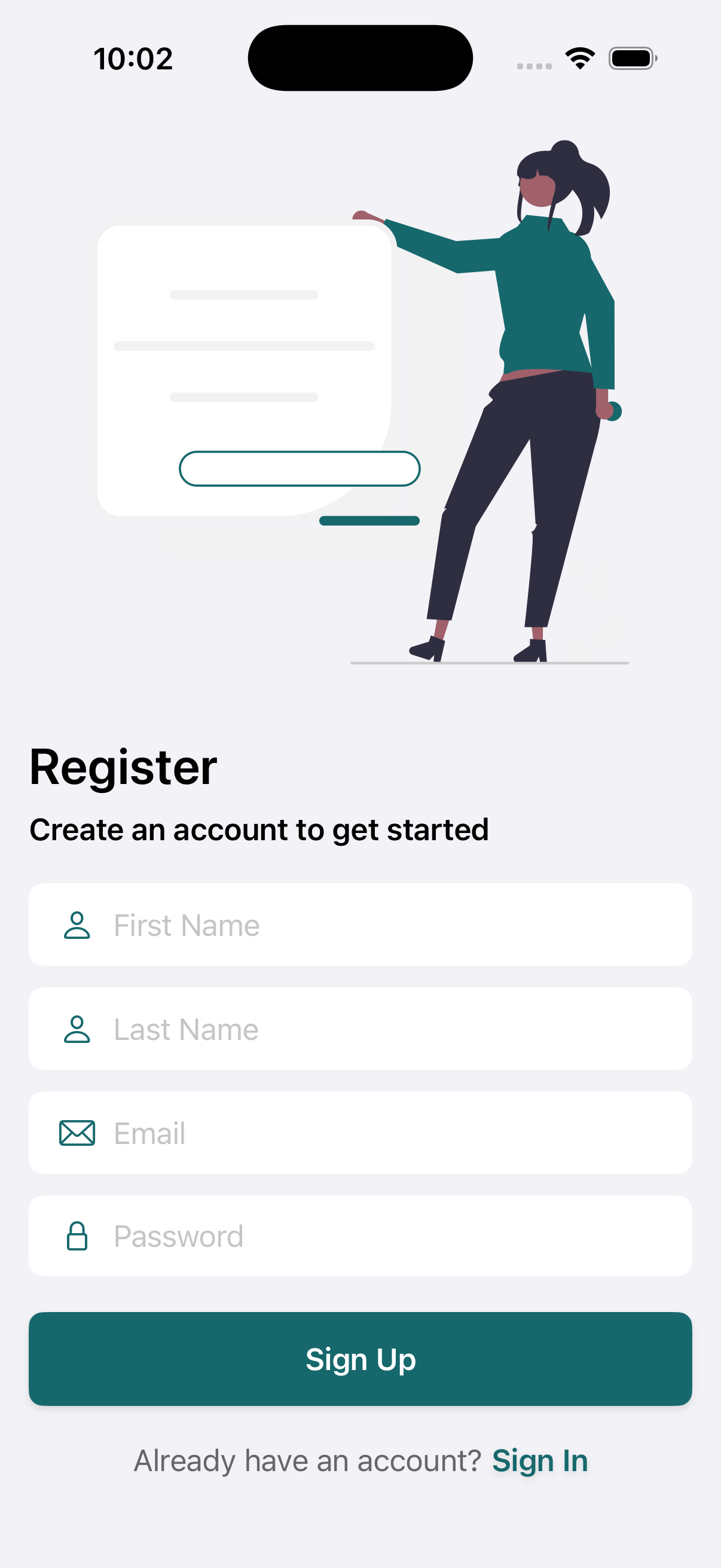
Signup
Authentication

Firebase Auth, built right

Full email and password authentication flow using Firebase Auth. Clean login and signup screens with proper error handling, input validation, and secure session management — patterns you can reuse in any app.

  • Email & password authentication with Firebase
  • Clean login and signup UI with validation
  • Secure user session management
  • Reusable auth service layer pattern
Task Creation

Quick entry, full control

Add tasks and create new todo lists with a streamlined flow. Set priorities, assign to categories, and organize everything your way. The creation forms showcase clean SwiftUI form patterns with proper data binding.

  • Quick task entry with title and details
  • Custom todo list creation with naming
  • Priority and categorization options
  • Clean SwiftUI form patterns with data binding
New Task
New Todo List
Light Mode
Dark Mode
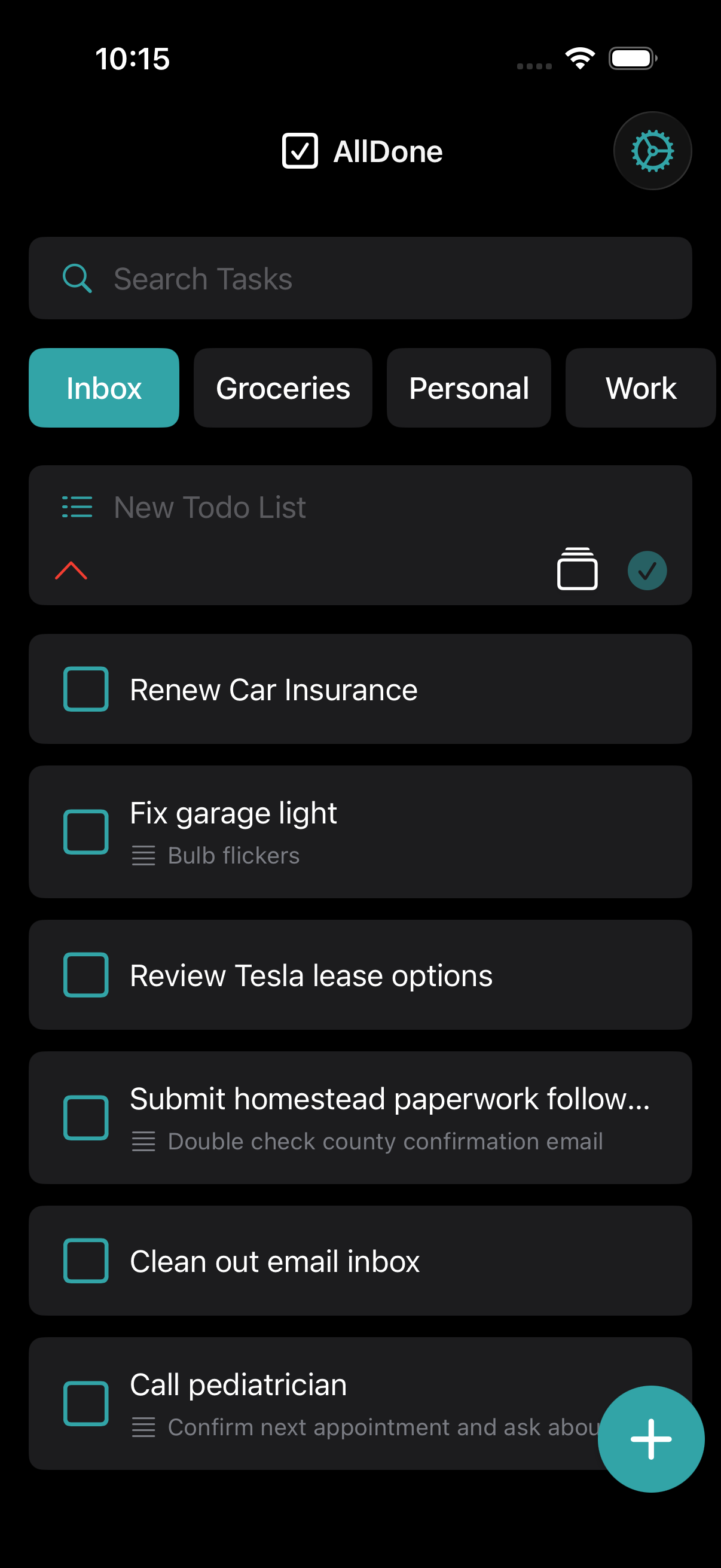
Dark & Light Mode

Beautiful in every theme

Full dark and light mode support with proper color management. Learn how to implement adaptive themes in SwiftUI the right way — with color assets, environment values, and a clean theme service layer.

  • Full dark and light theme support
  • Proper SwiftUI color asset management
  • Polished design in both modes
  • Adaptive system-wide appearance
Settings & Profile

User profile and preferences

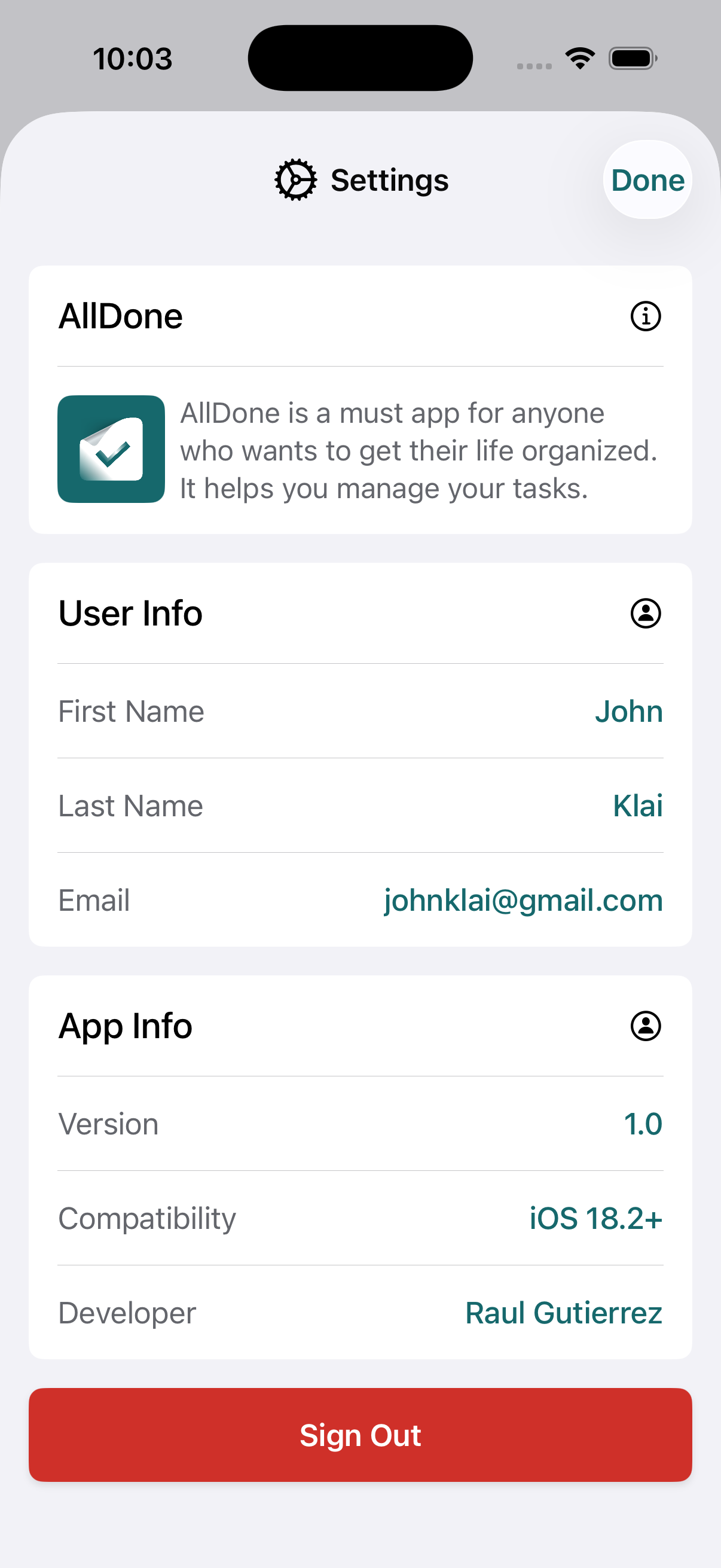
A settings screen with user profile management, app preferences, and account controls. Learn how to build a proper settings architecture with observable objects and clean data flow.

  • User profile with account details
  • App preferences and configuration
  • Sign out and account management
  • Settings architecture with observable objects
Settings

Architecture

Built like a real
engineering team would

Clean, modular architecture that scales. Every layer has a clear purpose, and every pattern is production-tested.

MVVM Pattern

Views observe ViewModels. ViewModels contain business logic. Models hold data. Clean separation at every level.

Dependency Injection

Services are injected, not hard-coded. Easy to test, easy to swap, easy to extend with new functionality.

Modular Design

Reusable UI components and service layers. Each module works independently and can be extracted for other projects.

Firebase Integration

Firebase Auth + Firestore + Security Rules. Full backend integration with proper error handling and offline support.

Clean Separation

Views, ViewModels, Models, and Services in clearly organized folders. No spaghetti, no shortcuts.

Production Patterns

Every pattern in this codebase is production-tested. Learn practices used by real iOS engineering teams.

What You Get

Everything included

Full Xcode Project

Complete, buildable Xcode project. Clone, open, and run. Every file, every view, every model included and ready to explore.

Firebase Integration

Firebase Auth, Firestore database, and security rules all configured. Learn how to integrate a full backend into SwiftUI.

MVVM Architecture

Clean Model-View-ViewModel pattern with proper data flow, observable objects, and business logic separation.

Reusable UI Components

Modular SwiftUI components you can extract and reuse in your own projects. Buttons, forms, lists, and custom views.

Dark/Light Theme

Complete theme system with color assets and adaptive styling. Both modes look polished and production-ready.

Clear Project Structure

Organized folder structure with Views, ViewModels, Models, Services, and Utilities. Easy to navigate and understand.

AllDone

Ready to level up?

Get the complete AllDone source code and start learning professional SwiftUI architecture today.

Get Source Code